User Interface
The user interface within a NS applicationNS Application (NSApplication). A pre-built software stack that provides common enterprise application functionality such as CRUD, search, authentication, and business process modeling out of the box. is fully generated based on your data elementsData Element (DataElement). A fundamental data concept or entity within an application's domain, acting as an anthropomorphic translation of a real-life object or concept., relationships, defined actions, fieldFieldA property of a DataElement expanded to a database column and user interface input element. (and their type).
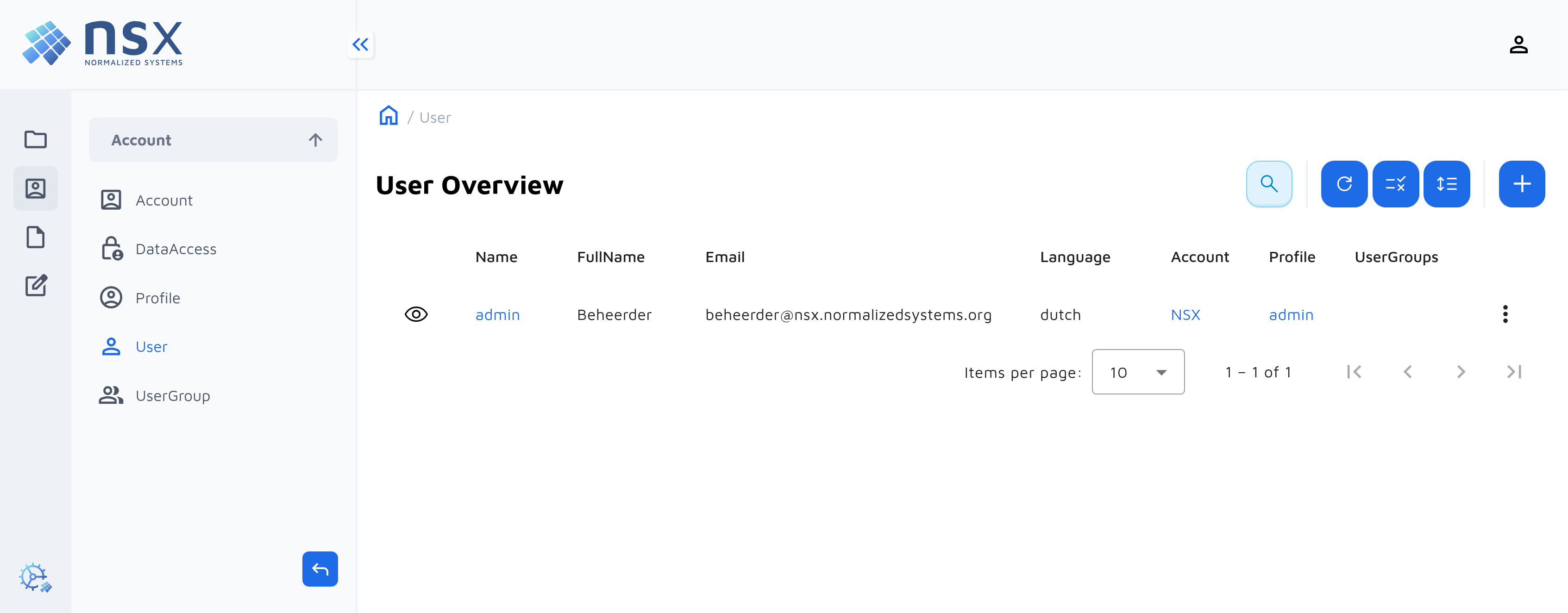
Following main UI components are rendered for each element:
- A table view to list all instances of a data elementData Element (DataElement). A fundamental data concept or entity within an application's domain, acting as an anthropomorphic translation of a real-life object or concept.
- A detail view to add, view or edit the fieldsFieldA property of a DataElement expanded to a database column and user interface input element. of an element
- Buttons and forms to execute data operationsData Operation (DataOperation). A type-safe action (e.g., Create, Update, Custom) executed on DataElement instances to modify data or trigger business logic.
- A menu to navigate to data elementsData Element (DataElement). A fundamental data concept or entity within an application's domain, acting as an anthropomorphic translation of a real-life object or concept.
- Input fieldsFieldA property of a DataElement expanded to a database column and user interface input element. to search and filter
Customizing the user interface
The presentation layerLayerLogical separation of functionality within a single system/application, focused on code organization. of your applicationApplicationThe overarching model container grouping all components, domain logic, and configurations for an enterprise solution. is often subject to many opinions and changes. In some cases the generated screen might not be a fit for your requirement.
Have a look at one of the next sections to see how to tweak your UI components.
To generate a user interface, we currently offer two options.
A modern design can be activated by choosing this resource:
A previous implementation can be found in resource:
While both user interface cover most UI requirements and are currently supported, the angular-beam will receive new features and is more future proof.
DataElement Table
Each DataElement has a page containing a table with the instances of this DataElement.
DataElement Forms
Each DataElement has a form to create or edit instances.
Configuring the Menu
It is possible to configure the menu of your application by adding some configuration to the menu file.
Adding a Search Bar
Add a search bar to the DataElement page.