DataView
A DataView acts as a representation of the data that our Angular project can manipulate.
Add a DataView for every DataConnector that needs a CRUD interface. A list-page, details-page, edit-form
and add-form is expanded per DataView.
The name of your DataView needs to be the same as the referenced DataConnector.
project
├── conf
├── applications
├── angular
.   ├── model
    ├── featureModules
    .   ├── space
        .   ├── model
            .   ├── dataConnectors
                ├── dataViews
                .   └── StarShip.xml
- Add in directory
- Add in FeatureModule
<dataView name="StarShip">
  <dataConnector featureModule="space" name="StarShip"/>
</dataView>
<featureModule name="space">
  <dataViews>
    <dataView name="StarShip">
      <dataConnector featureModule="space" name="StarShip"/>
    </dataView>
  </dataViews>
</featureModule>
Table component
The fieldsFieldA property of a DataElement expanded to a database column and user interface input element. shown in the generated table component are defined by the Info projectionProjectionA tailored subset of fields on a DataElement designed to encapsulate data for a specific technical or functional view. in your Elements model (see isInfoField).
DataOperationForm
To generate a form, a DataOperationForm child can be added to the DataView. The naming convention for forms is to
use PascalCase (starting with uppercase). This form will mostly generate everything just by linking to a
DataOperationConnector. Additionally, parameters can be marked to be
customized. This will omit the default implementation and provide custom anchorsAnchorA marker within generated source code reserved for adding custom logic during re-expansion. instead.
DataOperationAction
DataOperationActions are also a child of DataView and should also use the PascalCase naming convention. An action integrates a form or an operation in the applicationApplicationThe overarching model container grouping all components, domain logic, and configurations for an enterprise solution..
Actions come in four variants:
- Form Dialog Action opens a dialog with a form referenced by this action. When the dialog is submitted, the form values will be serialized to the api call.
- Confirmation Dialog Action is performed without user input, but requires confirmation. This can be used for DeleteOperations.
- No Dialog Action is performed immediately without any further user intervention. This can be useful for actions like a Trigger.
- Form Page Action opens a new page (added to router) with the referenced form.
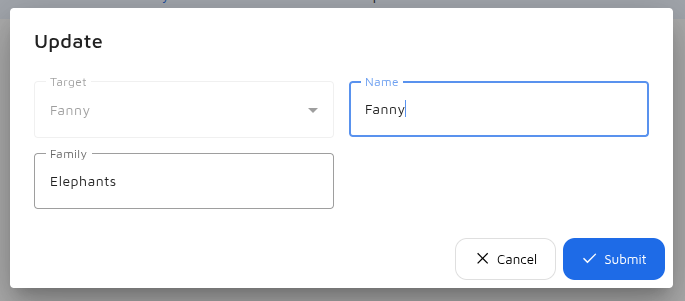
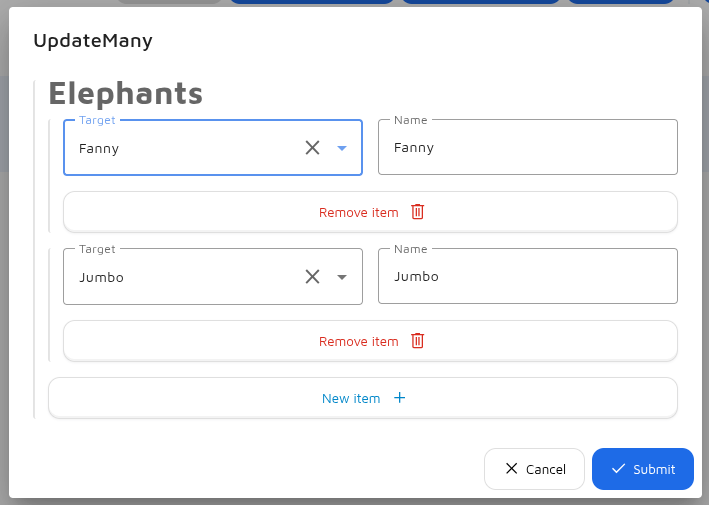
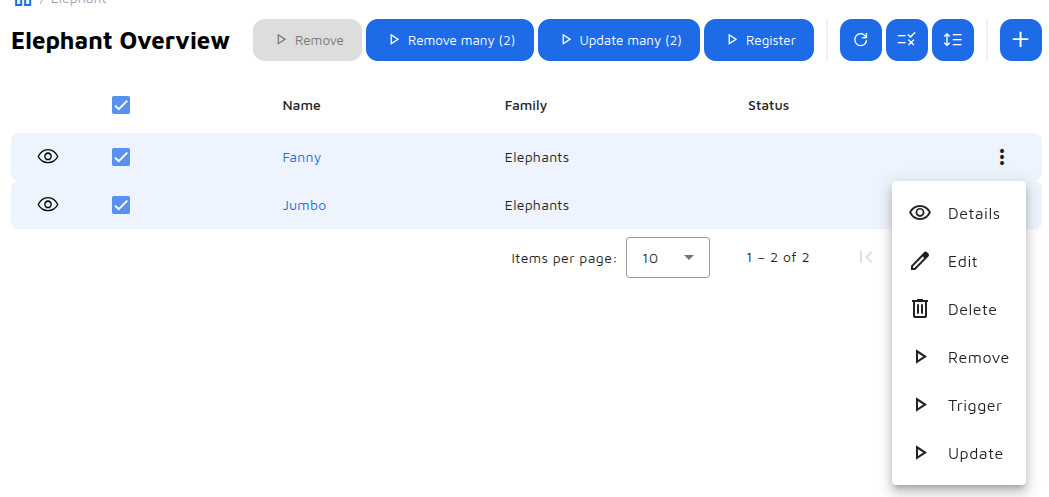
You can define roles which specify where a DataOperationAction should be shown:
- list-action-button Button above the table view without any context. Used for example with CreateOperations.
- list-selection-action-button Button above the table view with selection context. Requires
angular.customization.canSelectTableRow. - row-action-menu-option Button inside the action menu of the table row.
- add-action-button Replace the
Addbutton above the list view. - edit-action-button Replace the
Editbuttons in table row action menu and detail view. - delete-action-button Replace the
Deletebuttons in the table row action menu and detail view.
Options
The table row actions, inspect action and list header buttons of a DataView can be overridden with options
(angular.hasCustomTableRowActions, angular.customization.hasCustomInspect,
angular.customization.hasCustomListHeaderButtons): see Default Overrides.