Modeling forms
Once your DataOperations are defined for the back-end, we can expose these to Angular to expand Forms and Actions.
DataConnector
To expose a DataOperation, an already exposed DataOperation can be added as a DataOperationConnector as a child of
DataConnector. Alternatively you can use the ConnectDataOperationsToAngular transmuter to automatically connect all
exposed dataOperations.
- µRadiant
- $ CLI
- Navigate to your FeatureModule.
- In the tree-view, open the context menu of the dataConnector (right-click).
- Select "Connect Data Operations To Angular". This will add the connector mentioned above.
Run the following command to transmute the model.
mvn expanders:transmute-model -Dtransmutation=ConnectDataOperationsToAngular
Forms
To generate a form, a DataOperationForm child can be added to the DataView. The naming convention for forms is to
use PascalCase (starting with uppercase). This form will mostly generate everything just by linking to a
DataOperationConnector. Additionally, parameters can be marked to be customized. This will omit the default
implementation and provide custom anchorsAnchorA marker within generated source code reserved for adding custom logic during re-expansion. instead.
Actions
While a form component on its own is nice, you probably want to integrate it somewhere in your applicationApplicationThe overarching model container grouping all components, domain logic, and configurations for an enterprise solution.. This is where Actions come in. DataOperationActions are also a child of DataView and should also use the PascalCase naming convention.
Actions come in four variants:
- Form Dialog Action opens a dialog with a form referenced by this action. When the dialog is submitted, the form values will be serialized to the api call.
- Confirmation Dialog Action is performed without user input, but requires confirmation. This can be used for DeleteOperations.
- No Dialog Action is performed immediately without any further user intervention. This can be useful for actions like a Trigger.
- Form Page Action opens a new page (added to router) with the referenced form.
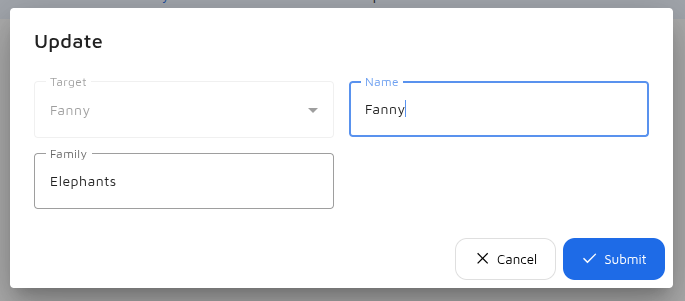
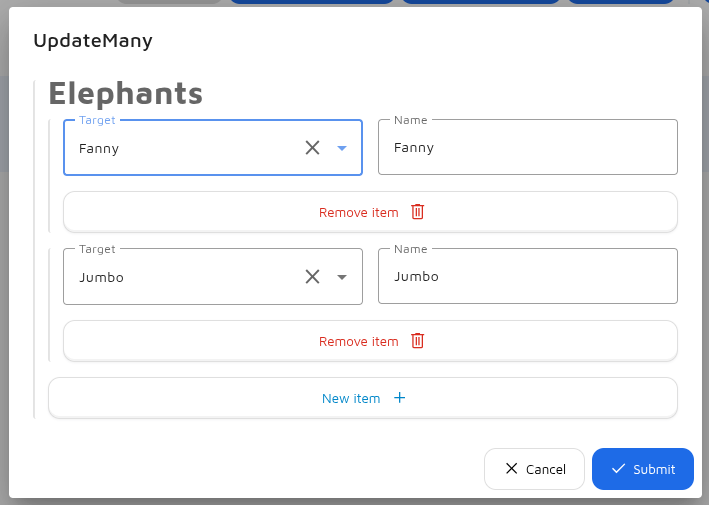
You can define roles which specify where a DataOperationAction should be shown:
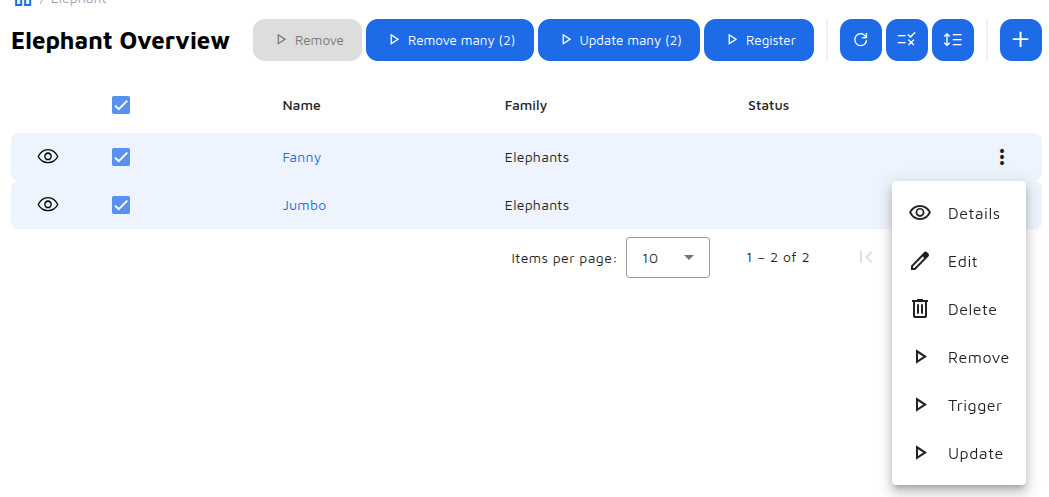
- list-action-button Button above the table view without any context. Used for example with CreateOperations.
- list-selection-action-button Button above the table view with selection context. Requires
angular.customization.canSelectTableRow. - row-action-menu-option Button inside the action menu of the table row.
- add-action-button Replace the
Addbutton above the list view. - edit-action-button Replace the
Editbuttons in table row action menu and detail view. - delete-action-button Replace the
Deletebuttons in the table row action menu and detail view.