Angular Beam 1.0.0


Changes and improvements
Angular 22
The angular-expanders have upgraded to Angular 22. It is possible to use the new features and enhancements of this update. Angular 22 also addresses various security vulnerabilities.
Base feature modules
This is only available when using the standard-api
The base-components (account, assets, utils) could be accessed through the knockout UI, but this wasn't yet possible in the Angular UI. Now that has changed. Next to the base-components there are now base-feature-modules which allow us to include some default feature modules. With this update there are corresponding feature modules for the account, assets and utils base components. Allowing you to access and update these components and data elements just as in the knockout UI.
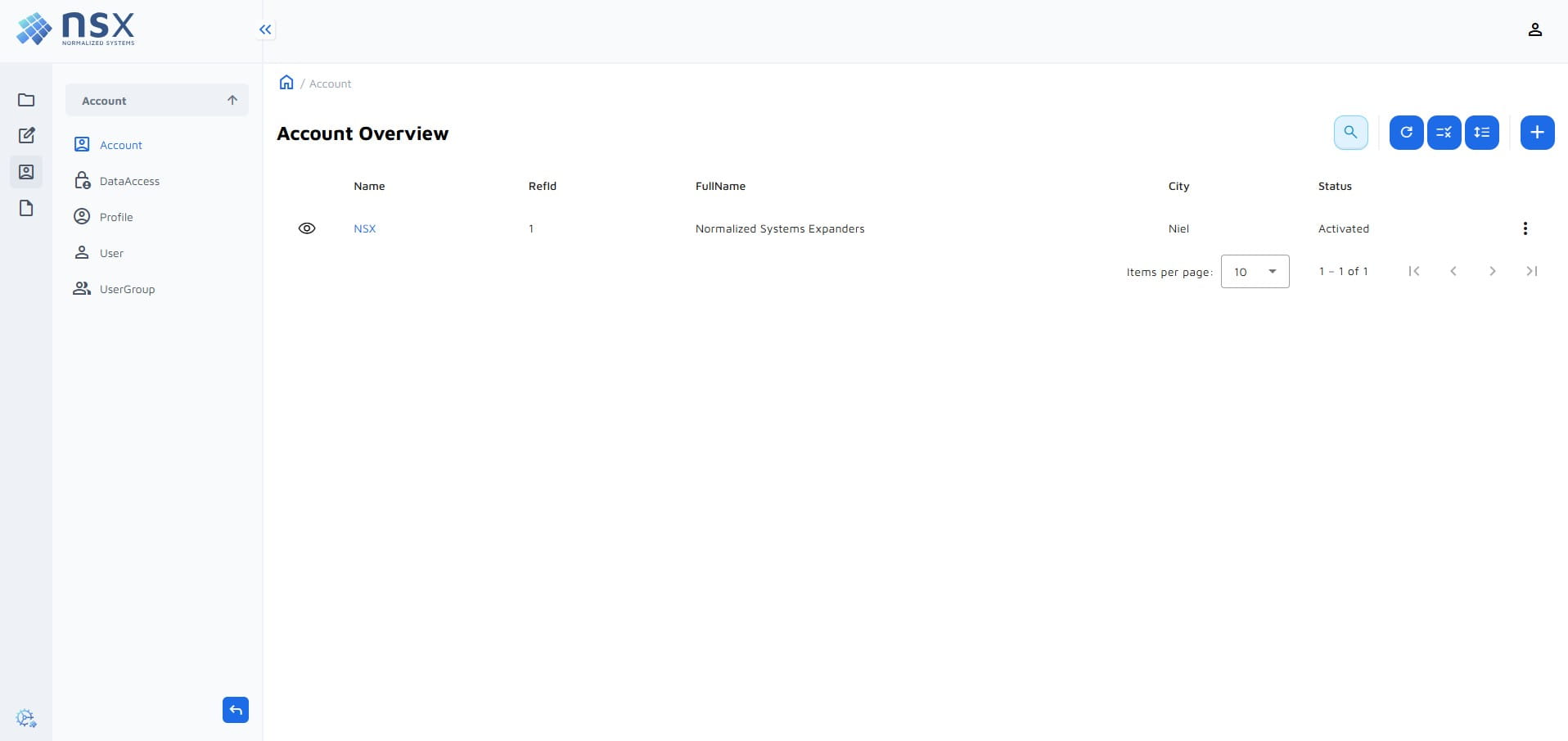
This includes a custom My User page accessible via the user icon in the top right. On this page users can see their own info and change their password (the password only applies for basic auth). The ability to view their info and change their password can be configured through the data access.
You have to add the base feature modules to your angularApp manually or by using the GenerateDefaultAngularApp transmuter.
<angularApp
    xmlns="https://schemas.normalizedsystems.org/xsd/angularProjects/7/0/0"
    type="angularProjects::AngularApp">
    ...
  <featureModules>
    ...
    <featureModule>utils</featureModule>
    <featureModule>account</featureModule>
    <featureModule>assets</featureModule>
  </featureModules>
</angularApp>
Menu changes
- By default, a menu is expanded to access each data view.
- More customization possibilities e.g. change the menu based on the user profile.
- A new method
updateIconwas added. This method changes the icon of a MenuItem at runtime.
Application properties
This is only available when using the standard-api
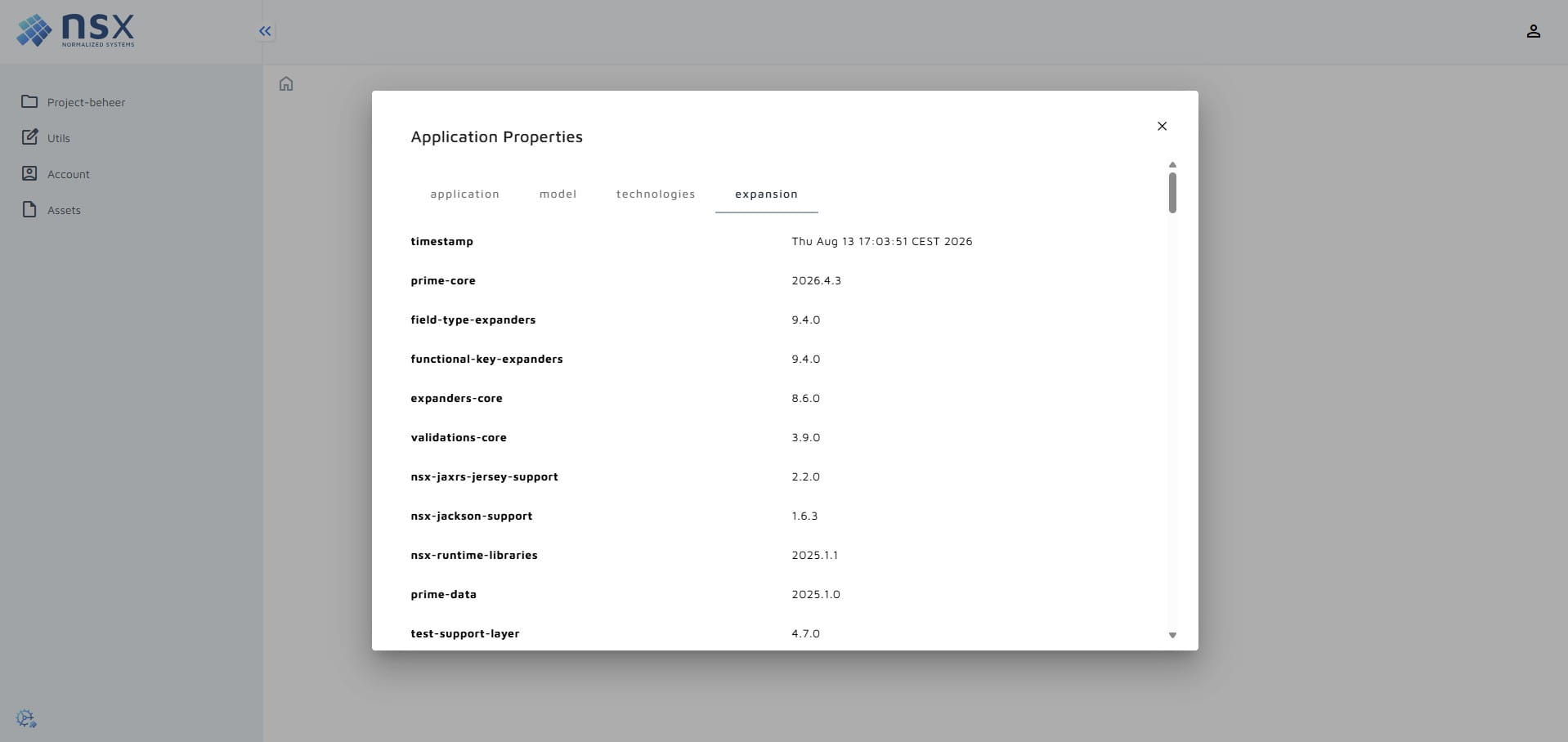
You can access the application properties through a button in the bottom left of the sidebar. This will show metadata about the application, such as the version, used expansion resources and more.
Direct imports
The imports defined in the mapping files of Angular expanders required the use of the from keyword. However some
imports don't use, and can't use the from keyword. Therefore a new direct import type has been created to allow imports without the from keyword.
<uses type="direct" eval="'prismjs'"/> // import "prismjs";
Generate default Angular app
The GenerateDefaultAngularApp transmuter will add an AngularApp to your project, if not already present. It will also
generate FeatureModules, DataConnectors and DataViews based no the elements model. The transmuter can be performed multiple
times and is a great way to keep the elements model and Angular model in sync.
Migration guide
Versions
The angular-beam::1.0.0 requires net.democritus:base-components::2026.6.0. The base-components are included in the
minimal-jee-beam and jee-backend-beam, so updating them will satisfy this requirement.
<expansionResources>
  ...
  <expansionResource name="org.normalizedsystems.beam:minimal-jee-beam" version="2.3.0"/>
</expansionResources>
<expansionResources>
  ...
  <expansionResource name="org.normalizedsystems.beam:jee-backend-beam" version="1.1.0"/>
</expansionResources>
When using Angular in combination with the standard-api as the control layer you should use the following.
<expansionResources>
  ...
  <expansionResource name="org.normalizedsystems.beam:angular-beam" version="1.0.0"/>
  <expansionResource name="net.democritus.angular.stdapi:angular-stdapi-expanders" version="4.0.0"/>
  <expansionResource name="org.normalizedsystems.beam:standard-api-beam" version="2.0.0"/>
</expansionResources>
When using Angular in combination with the service-api as the control layer you should use the following.
<expansionResources>
  ...
  <expansionResource name="org.normalizedsystems.beam:angular-beam" version="1.0.0"/>
  <expansionResource name="net.democritus.angular.svcapi:angular-svcapi-expanders" version="3.8.0"/>
  <expansionResource name="org.normalizedsystems.beam:service-api-beam" version="1.3.0"/>
</expansionResources>
Angular 22
Node version requirement
The minimum required node version has changed to ^22.22.3 || ^24.15.0 || ^26.0.0
Make sure your local machine and Dockerfile satisfy this requirement. The build pipelines on jenkins have been updated to use node 24.19.0.
ChangeDetectionStrategy
The Default Change Detection Strategy is now OnPush. Angular's change detection uses a more optimized approach by
default called ChangeDetectionStrategy.OnPush. This strategy makes components only run change detection when:
- An input or Signal variable changes (by reference).
- An event originates from the component or its children.
ChangeDetectorRef.markForCheck()is called manually.
This means components with:
- variables might not update when the variable gets a new value.
protected asyncValue: string = "default value";

myService.getValue().subscribe((newValue) => {
  // OnPush won't trigger change detection for a local variable mutation.
  this.asyncValue = newValue; // Won't be updated in component's template
});
- functions in templates are not constantly being run anymore
// DOES NOT WORK AS EXPECTED
// Template: <p>{{ getFormattedName() }}</p>

name = 'Alex';

setTimeout(() => {
  this.name = 'Jordan';
  // getFormattedName() WILL NOT RE-RUN!
  // OnPush won't trigger change detection for a local variable mutation.
}, 1000);

getFormattedName() {
  return this.name.toUpperCase();
}
Fix:
- Use signals and computed signals to define variables
- Use previous behavior with
ChangeDetectionStrategy.Eager(as a last resort)
Redundant Nullish Checks Trigger Compile Errors
Angular’s strict template type-checker now flags unnecessary optional chaining (?.) or nullish coalescing (??) on non-nullable variables.
// Fails at compile time if `a` is guaranteed non-nullable
const result = a?.b;
const val = a ?? "default";

// Remove redundant operators
const result = a.b;
const val = a;
Optional Chaining Evaluates to undefined
Short-circuited optional chaining expressions always evaluate to undefined (never null).
// Update strict equality checks expecting `null` to check for `undefined` instead, or use loose equality (`== null`) to catch both.
a?.b?.c === null // false
a?.b?.c === undefined // true
a?.b?.c == null // true
reportProgress deprecation
The reportProgress field of HTTP requests has been deprecated and replaced by reportDownloadProgress and reportUploadProgress.
Custom code that used this should migrate to the new fields.
baseUrl no longer allowed
The baseUrl field is no longer allowed in the tsconfig.json. Custom paths in the tsconfig should be adjusted.
Data access
This only affects projects using Angular, standard-api and have enabled the data access in Angular
Fixed incorrect mapping of canSeeUpdatePage, canSeeFilterPage, canSeeFetchPage, canSubmitUpdate, canSubmitFilter and canSubmitFetch in the LegacyMapperService expanders.
Instead of mapping to update and fetch they will now map to modify and status. Applications that have configured
data access to use update and fetch will have to update them to modify and status.
Custom branding
- If the angularApp uses the
angular.hasCustomBrandingoption, The following files have had code replaced by feature anchors as part of a fix.branding-text-fontinindex.htmlbranding-icon-fontinindex.htmlbranding-sidebarinlayout.component.scss
To migrate add back the following harvests in the corresponding files.
index.html:
-- anchor:custom-branding-icon-font:start
  <link rel="stylesheet" href="https://fonts.googleapis.com/css2?family=Material+Symbols+Outlined:opsz,wght,FILL,GRAD@20..48,100..700,0..1,-50..200"/>
-- anchor:custom-branding-icon-font:end
-- anchor:custom-branding-text-font:start
  <link rel="preconnect" href="https://fonts.googleapis.com">
  <link rel="preconnect" href="https://fonts.gstatic.com" crossorigin>
  <link href="https://fonts.googleapis.com/css2?family=Maven+Pro:wght@400;500;700&display=swap" rel="stylesheet">
-- anchor:custom-branding-text-font:end
layout.component.scss:
-- anchor:custom-branding-sidebar:start
    img {
      height: 100%;
      padding: 1.25rem 0 1.25rem 1.25rem;
      &.compact-mode {
        padding: 1.438rem 0 1.438rem 0.875rem;
      }
    }
-- anchor:custom-branding-sidebar:end